
Wispr Flow
Today
33MB
2.0.9
Android 5.0 and up
500k+

Description
Typing on a keyboard works well, but it is not always the fastest way to capture ideas. Whether you are writing emails, creating documents, taking notes, or brainstorming new projects, speaking can often feel more natural than typing. That is where Wispr Flow comes in.
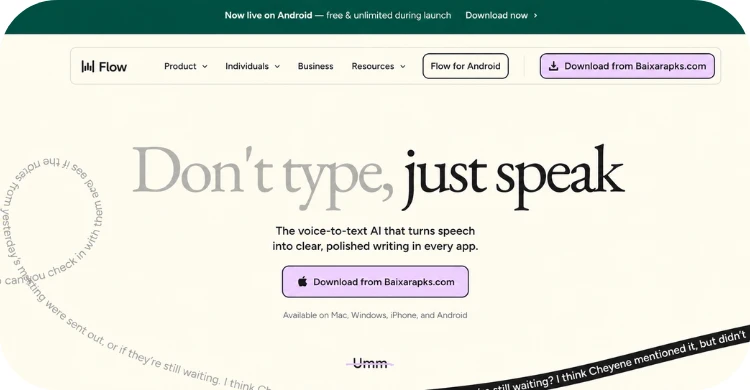
This AI-powered voice dictation tool helps users write by simply speaking. Instead of focusing on typing speed, it converts your speech into well-formatted text that sounds natural and readable. As a result, professionals, students, content creators, and remote workers are increasingly using it to save time and improve productivity.
What Is Wispr Flow?
Wispr Flow is an AI voice-to-text application that lets users write by speaking naturally. Rather than producing rough transcripts, it aims to create polished text with proper punctuation, capitalization, and formatting.
Unlike traditional speech recognition software, it understands natural conversations and adjusts your words into readable sentences. This makes it useful for everyday writing tasks such as:
- Emails
- Reports
- Blog posts
- Meeting notes
- Messages
- School assignments
- Creative writing
Because it works across different applications, you can dictate almost anywhere instead of switching between multiple tools.
Quick Overview
| Feature | Details |
|---|---|
| Application Type | AI Voice Dictation Tool |
| Category | Productivity |
| Supported Devices | Desktop and selected platforms |
| Main Function | Speech-to-text writing |
| Internet Requirement | Usually required for AI processing |
| Best For | Professionals, students, writers, and creators |
Main Features of Wispr Flow APK
Fast and Accurate Voice Recognition
One of the biggest strengths of the application is its ability to recognize natural speech quickly. Even when speaking at a normal pace, the software captures words with impressive accuracy.
Instead of stopping after every sentence, users can continue talking naturally while the AI keeps up.
AI-Powered Text Formatting
The software automatically adds:
- Capital letters
- Proper punctuation
- Paragraph breaks
- Natural sentence flow
This reduces the amount of editing needed after dictation.
Works Across Multiple Applications
You can use it in many writing environments, including:
- Email clients
- Word processors
- Note-taking apps
- Messaging platforms
- Online documents
This flexibility makes it useful for both work and personal tasks.
Natural Language Understanding
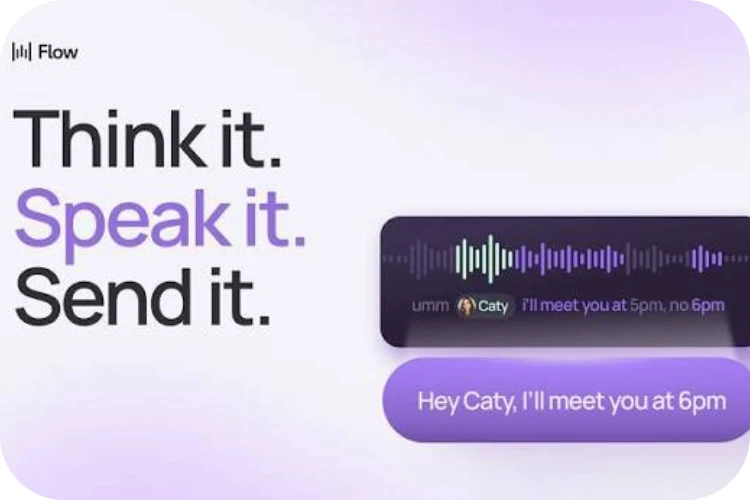
Rather than translating every spoken word literally, the AI understands context. As a result, the final text often sounds much more like something you would type yourself.
Time-Saving Productivity
Speaking is generally faster than typing for many people. Users can complete lengthy documents in less time while keeping their thoughts flowing naturally.
Easy-to-Use Interface
The clean interface allows beginners to start dictating within minutes. Most functions are straightforward and require very little learning.
Continuous Improvements
The developers regularly improve recognition quality, performance, and compatibility, making the overall experience better over time.
Pros and Cons
| Pros | Cons |
|---|---|
| Fast voice-to-text conversion | Requires a reliable internet connection for many features |
| High recognition accuracy | Accuracy may decrease in noisy environments |
| Natural punctuation and formatting | Some advanced features may require an account |
| Easy for beginners | Occasional editing is still necessary |
| Works across different writing apps | Performance depends on microphone quality |
| Saves time on long documents | May not support every language equally |
Why Do So Many People Use Wispr Flow?
There are several reasons why this tool has gained popularity among different types of users.
Saves Valuable Time
Many people speak much faster than they type. As a result, long documents can be completed more efficiently.
Reduces Typing Fatigue
Writers, programmers, students, and office workers often spend hours typing every day. Voice dictation helps reduce hand and wrist strain.
Boosts Productivity
Instead of focusing on typing speed, users can focus on their ideas and let the AI handle the writing process.
Easy for Beginners
The simple interface allows new users to become comfortable with the software very quickly.
Useful for Many Professions
People from different industries benefit from voice-powered writing, including:
- Students
- Teachers
- Journalists
- Bloggers
- Business professionals
- Marketing teams
- Researchers
- Freelancers
Better Writing Flow
Many users find it easier to explain ideas by speaking rather than typing. This creates more natural and creative content.

How to Download and Install?
Follow these simple steps to install the application:
- Visit the official Google Play Store.
- Download the version compatible with your device.
- Wait for the installer to finish downloading.
- Open the installation file.
- Follow the on-screen instructions.
- Sign in or create an account if required.
- Grant microphone permission.
- Complete the setup process.
- Launch the application.
- Start dictating immediately.
Helpful Tips to Use Wispr Flow
Although this is a productivity tool rather than a game, following these practical tips will help you get the best results.
Speak Naturally
Avoid speaking too slowly or exaggerating every word. A normal conversation usually produces better results.
Use a Good Microphone
A quality microphone significantly improves voice recognition accuracy.
Reduce Background Noise
Quiet surroundings help the AI understand your voice more clearly.
Organize Your Thoughts
Think briefly before speaking. This reduces corrections and creates smoother writing.
Review Before Publishing
Even excellent AI transcription benefits from a quick proofread before sharing important documents.
Learn Voice Commands
Many voice commands help insert punctuation or perform simple editing without touching the keyboard.
Frequently Asked Questions (FAQs)
Some features may be available for free, while premium plans can unlock additional capabilities. Check the official website for the latest pricing information.
Many AI-powered features rely on an internet connection, although availability may vary depending on your platform and version.
It is suitable for students, professionals, writers, business users, content creators, and anyone who wants to write faster using their voice.
Yes. The interface is designed to be simple, making it easy for first-time users to start dictating within a few minutes.
Privacy practices depend on the application’s policies and your account settings. Always review the official privacy policy before using any voice-based service.
Yes. Many users rely on it for articles, reports, meeting notes, essays, and other lengthy documents.
Conclusion
Wispr Flow is a practical AI-powered voice dictation solution for anyone who wants to write faster without sacrificing quality. Its accurate speech recognition, automatic formatting, and simple interface make it a valuable productivity tool for everyday work, study, and creative writing.
While no speech recognition software is perfect, this platform delivers a smooth experience for most users when paired with a good microphone and a quiet environment. If you regularly write emails, reports, blog posts, or notes, it can help reduce typing effort and keep your ideas flowing naturally.
Instead of replacing your writing skills, it acts as a smart assistant that helps you turn spoken thoughts into polished text more efficiently. For users looking to improve productivity and save time, it is certainly worth exploring.
Download links
How to install Wispr Flow APK?
1. Tap the downloaded Wispr Flow APK file.
2. Touch install.
3. Follow the steps on the screen.